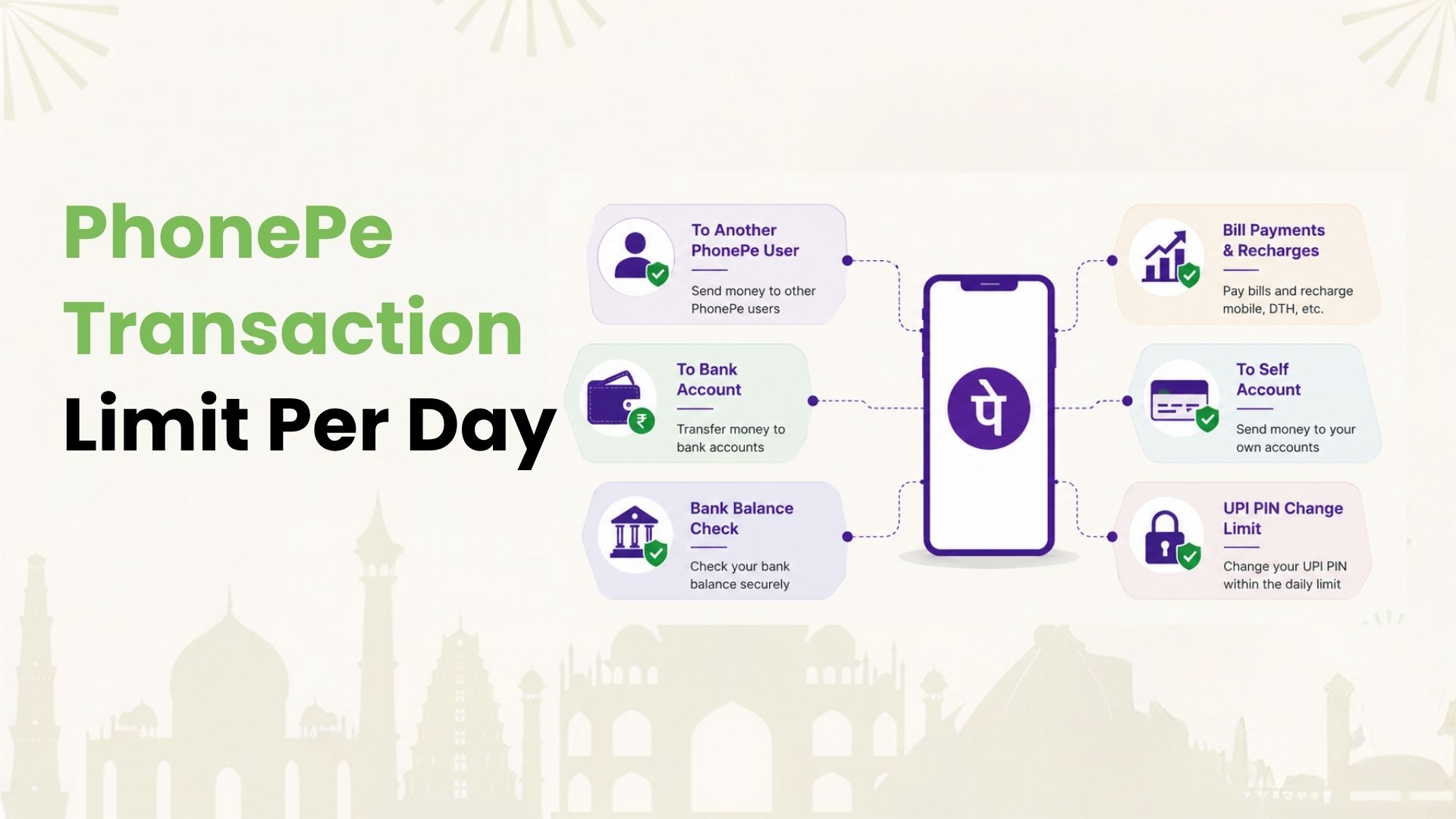
PhonePe transaction limit is one of the first things Indian UPI users check when a payment fails, a transfer gets blocked, or a high-value payment has to be split. In most cases, the standard UPI limit on PhonePe is up to ₹1 lakh per day, with a maximum of 20 UPI transactions in a day.
This does not mean every PhonePe user can always send ₹1 lakh in one payment. Your actual limit can depend on your bank, account type, PhonePe risk checks, UPI payment type, recipient type, KYC status, and whether you are a new UPI user.
Here is a simple breakdown of the PhonePe daily limit and the situations where it can change.
Daily UPI Limit on PhonePe
For most regular UPI users, the PhonePe transaction limit follows the standard UPI framework:
- Daily UPI amount limit: up to ₹1 lakh
- Daily UPI transaction count: up to 20 transactions
- New UPI user limit: often lower during the first 24 hours
- Bank-specific limit: can be lower than the standard UPI limit
- Eligible verified merchants: some approved merchant categories may support higher UPI limits when enabled by the merchant’s bank, payment partner, and payment system rules
If either the amount limit or transaction-count limit is reached, more PhonePe UPI payments may fail until the limit resets. The reset window may depend on your bank and the way the transaction limit is calculated.
Why PhonePe Limits can Differ by User
PhonePe is a UPI app. The money movement still depends on the UPI network, your linked bank account, the recipient, and transaction checks. That is why two people using PhonePe can see different results for the same payment amount.
Your limit may differ because of:
- Your bank’s own UPI limit
- The type of bank account linked to PhonePe
- Whether the transaction is person-to-person or person-to-merchant
- Whether you are using UPI Lite, wallet, bank account UPI, or a credit card on UPI
- Your account age and recent UPI setup activity
- Fraud-risk checks by the bank or payment system
- Special rules for eligible verified merchant categories, where higher limits are enabled by the merchant’s payment setup and the user’s bank
This is why the right question is not only “What is the PhonePe limit?” It is also “Which limit is affecting this specific payment?”
PhonePe UPI Limit for Bank Account Payments
For regular bank-account UPI payments on PhonePe, you may be able to send the allowed amount as one transaction or across multiple smaller transactions, depending on your bank’s per-transaction limit.
For example, if your bank allows a ₹1 lakh UPI limit and you send ₹40,000 in the morning, you may have up to ₹60,000 left for the day. But if your bank has a lower cap, such as ₹25,000 or ₹50,000, PhonePe may decline a transaction even though the broader UPI limit is higher.
The count limit also matters. If you make many small UPI payments in a day, you may hit the 20-transaction limit before reaching the amount limit.
PhonePe Transaction Limit by Bank
Bank limits are one of the biggest reasons PhonePe payments fail. Some banks allow up to ₹1 lakh per day for UPI, while others may set lower limits for certain accounts, newly added beneficiaries, first-time UPI users, or risk-sensitive transactions.
Common bank-limit patterns include:
| Bank-side limit type | What it means for PhonePe users |
|---|---|
| Per-transaction limit | The maximum amount allowed in one UPI payment |
| Daily amount limit | The total UPI amount allowed in one day |
| Daily count limit | The number of UPI payments allowed in one day |
| New setup limit | A lower cap after UPI PIN setup, device change, or account linking |
| Risk-based limit | A temporary decline based on bank or fraud checks |
If PhonePe shows a limit error for an amount below ₹1 lakh, check your bank’s UPI limit inside mobile banking or contact the bank’s support team. PhonePe may show the error, but the limit may be coming from the bank.
PhonePe UPI Lite Limit
UPI Lite is meant for quick, small-value payments. It is useful for low-value merchant payments where entering a UPI PIN every time can feel slow.
UPI Lite limits are different from normal UPI limits. The current common limits are:
- Up to ₹1,000 per UPI Lite transaction
- Up to ₹5,000 balance in the UPI Lite account
- Up to ₹10,000 cumulative daily UPI Lite usage, subject to current app and bank rules
UPI Lite is not meant for large transfers. If you are paying rent, tuition, hospital bills, or other high-value amounts, normal UPI or another supported payment method may be more suitable.
PhonePe Wallet Transfer Limit
PhonePe wallet limits can depend on your KYC status, wallet rules, available balance, and the type of transfer. Treat wallet limits separately from UPI limits because wallet payments are not the same as direct bank-account UPI payments.
If your wallet transaction fails, check:
- Whether your wallet KYC is complete
- The available wallet balance
- The wallet limit shown in the PhonePe app
- Whether the recipient or merchant accepts that wallet payment type
- Whether the payment is allowed under current wallet rules
Do not assume wallet limits are the same as UPI bank-account limits. They are different payment instruments and can follow different rules.
PhonePe Limit for Merchant Payments
Most everyday PhonePe payments are person-to-merchant payments. These include QR payments at stores, food delivery, groceries, medicines, utility bills, and online checkout payments.
For regular users, the standard UPI daily limit may still apply. Some eligible verified merchants can support higher-value UPI payments when their merchant category, bank, payment partner, and payment system rules allow it. This is a merchant-side eligibility setup, not a general higher limit for every PhonePe user.
The higher limit is not automatic for every merchant or every user. If a high-value merchant payment fails, the reason may be the user’s bank limit, merchant category setup, PhonePe checks, or the payment method selected at checkout.
PhonePe Limit for Credit Card on UPI
RuPay credit cards can be linked to UPI and used for eligible merchant payments. This is different from sending money from a savings account through UPI.
Credit card on UPI usually works for merchant payments, not broad person-to-person transfers. It may also be restricted for certain categories, based on issuer, network, merchant, and regulatory rules.
If you use a RuPay credit card on a UPI app, check three things before relying on a limit:
- Your credit card limit and available balance
- The issuer’s UPI transaction rules
- Whether the merchant category supports credit card on UPI
This is especially important for users who want to use credit for daily merchant spends. The payment may fail even if your normal bank-account UPI works.
Why does PhonePe say Transaction Limit Exceeded?
PhonePe may show a limit-related error for several reasons. The most common ones are:
- You crossed the daily UPI amount limit.
- You crossed the daily transaction-count limit.
- Your bank has a lower UPI cap than the standard limit.
- You recently changed device, reset UPI PIN, or linked a new account.
- The recipient’s bank or UPI ID has an issue.
- The payment category has a special cap.
- You are trying to use UPI Lite for an amount above its limit.
- The transaction has been blocked by risk checks.
If the amount is urgent, avoid repeating the same failed payment many times. It may trigger more checks. Instead, check the exact error, try a lower amount if appropriate, confirm your bank limit, or use another allowed payment method.
Can you Increase the PhonePe Transaction Limit?
You usually cannot increase the standard UPI limit directly from PhonePe. The limit is controlled by UPI rules, your bank, and the payment method.
What you can do:
- Check your bank’s UPI limit in mobile banking.
- Ask your bank whether your account is eligible for a higher UPI limit.
- Complete any required KYC for wallet-related limits.
- Wait for the new-user or device-change cooling period to end.
- Split a payment only when it is allowed and does not break merchant or bank rules.
- Use another supported payment mode for high-value payments.
If your bank has set a lower cap, PhonePe alone may not be able to override it.
Tips to Avoid PhonePe Payment Failures
A little planning can reduce failed payments, especially for high-value or time-sensitive transactions.
- Check your bank’s UPI limit before making a large payment.
- Keep your PhonePe app updated.
- Avoid making many small test payments before a large transfer.
- Use UPI Lite only for small everyday payments.
- Confirm the recipient’s UPI ID before sending money.
- For merchant payments, check whether the selected payment method is accepted.
- Keep enough balance in your linked bank account or available limit on your card.
- Do not share OTP, UPI PIN, card details, or app lock credentials with anyone.
For regular bills and merchant spends, also track how much you have already paid through UPI during the day. A payment may fail simply because the day’s limit is already used.
Use UPI Smarter with Kiwi
Knowing the PhonePe transaction limit helps you plan payments better. It does not remove PhonePe, bank, or UPI limits, but it can help you choose the right payment method for each situation.
Kiwi helps eligible users make eligible merchant payments through UPI using a RuPay credit card. You can scan and pay at eligible merchants, track spends in the app, and earn cashback on qualifying transactions. Kiwi offers a lifetime free card and minimum 1.5% cashback on eligible QR payments, subject to product terms and eligibility.
If you want the convenience of UPI with credit-card utility, download Kiwi, complete your application in minutes, and get quick access to your digital card upon approval. The card issued depends on your credit score and partner bank requirements.
FAQs
What is the PhonePe transaction limit per day?
For most regular UPI users, the PhonePe transaction limit is up to ₹1 lakh per day with up to 20 UPI transactions in a day. Your actual limit may be lower depending on your bank, account type, payment method, and risk checks.
Can I send ₹1 lakh in one PhonePe transaction?
Sometimes, yes. But it depends on your bank’s per-transaction limit and the payment type. Some banks may allow ₹1 lakh in one UPI transaction, while others may cap one transaction at a lower amount.
Why is my PhonePe payment failing below ₹1 lakh?
Your bank may have a lower UPI limit, you may have crossed the transaction-count limit, your account may be under a cooling period, or the payment may have been stopped by risk checks. Check the error message and your bank’s UPI settings.
What is the PhonePe UPI Lite limit?
UPI Lite is meant for small-value payments. It commonly supports payments up to ₹1,000 per transaction, a balance of up to ₹5,000, and cumulative daily usage of up to ₹10,000, subject to current app and bank rules.
Does PhonePe have the same limit for every bank?
No. The standard UPI limit may be up to ₹1 lakh per day, but banks can apply their own limits. This is why users with different banks may see different PhonePe payment limits.
Can I increase my PhonePe UPI limit?
You cannot directly increase the standard UPI limit through PhonePe. You can check whether your bank allows a higher account-level UPI limit, complete required KYC for wallet use, or wait for any cooling period to end.
Does credit card on UPI have the same PhonePe limit?
Not always. RuPay credit card on UPI depends on your card limit, issuer rules, merchant category, and UPI app flow. It is generally meant for eligible merchant payments, not broad person-to-person transfers.
Disclaimer: The information provided in this article is for general informational and educational purposes only and should not be considered financial, banking, or payment advice. PhonePe transaction limits may vary based on your bank, account type, payment method, transaction type, UPI rules, risk checks, and KYC status. UPI, UPI Lite, wallet, and RuPay credit card on UPI have different limits and eligibility requirements, which may change over time. Users should check the latest limits and applicable terms with PhonePe, their bank, or the relevant payment provider before making high-value transactions. Kiwi-related information is subject to applicable eligibility criteria, partner-bank requirements, product terms, conditions, and rewards policies.