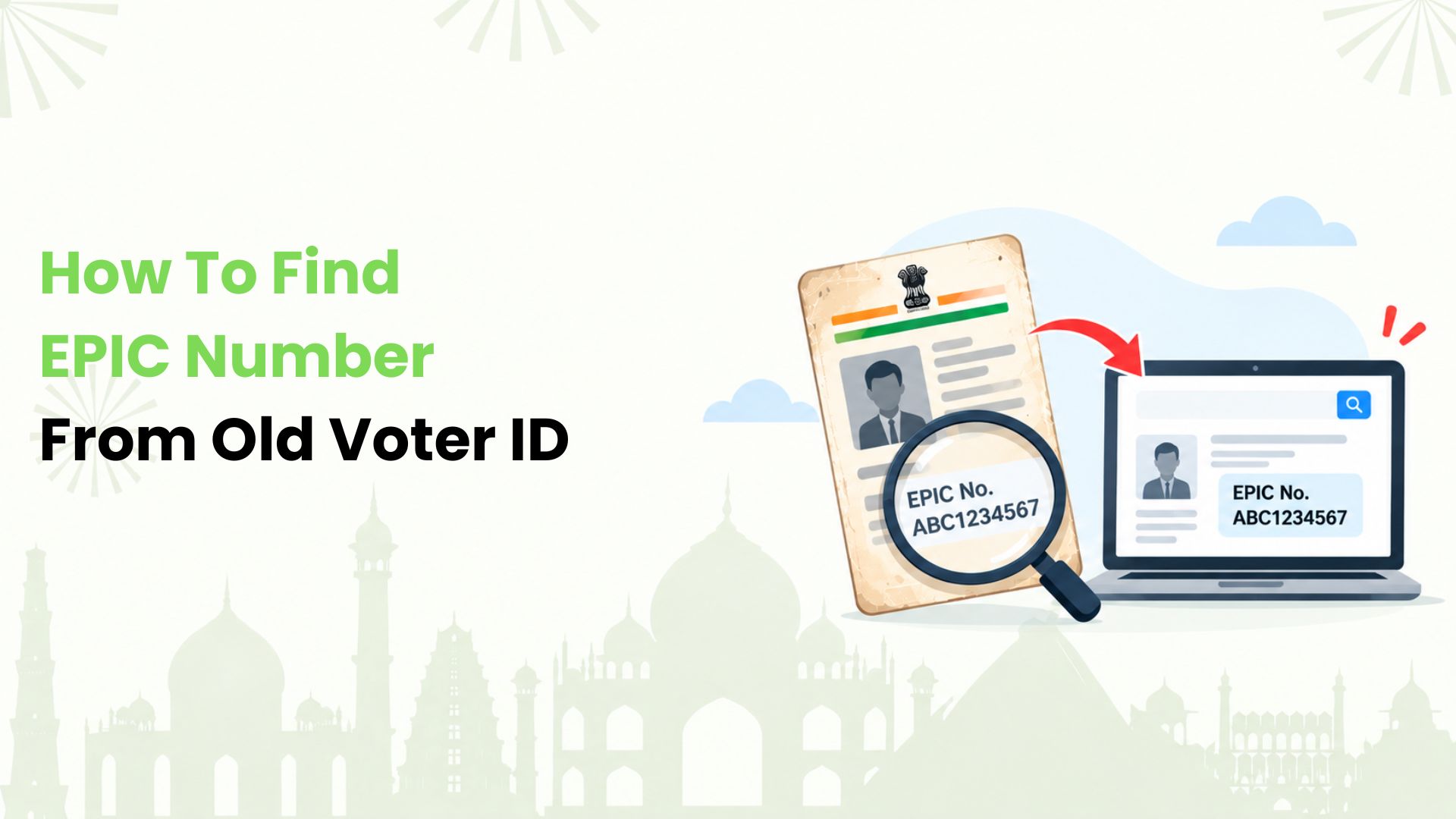
We’ll explain how to find EPIC number from old voter ID for Indian voters with faded or unfamiliar cards. We start by checking the card itself. If the number is unreadable or no longer works, we can look up the current voter record through the Election Commission of India’s electoral search service.
An old card is a useful starting point, but the current electoral record matters most. Below, we walk through the options, from reading the print to getting help locally.
What Number are We Looking for?
EPIC stands for Electors Photo Identity Card. The EPIC number identifies our voter record. The standard format has 10 characters, combining letters and numbers. However, very old cards may carry a different format.
We should distinguish it from two other details:
- Part number: Identifies a section of the electoral roll, associated with a polling area.
- Serial number: Identifies our entry within that part of the roll.
Neither should be entered as an EPIC number. We also avoid judging a faded code by its length alone, since older formats need a closer check.
Start With The Print on The Old Card
We first look for a label such as “EPIC No.” or “Card No.” on the front. If nothing is clear, we check the reverse. Card designs vary, so there is no single position that works for every old voter ID.
For faint print, we can place the card under good light and use a phone camera’s zoom. A saved scan or photocopy may be easier to read. We copy only the characters we can identify confidently, paying attention to similar shapes such as the letter O and the digit 0.
If the code contains slashes or looks unlike a standard EPIC, we keep the full number as printed. We should not delete characters or invent a shorter version to fit an online field.
Search by Personal Details When The Number is Unclear
We do not need to recover every faded character before trying an online search. The ECI’s “Search by Details” option lets us look for the voter record using personal information.
Here is the route we follow:
1. Open the Election Commission of India’s official Voters’ Service Portal and choose “Search in Electoral Roll”.
2. Select “Search by Details”.
3. Choose the state and language, where prompted.
4. Enter the requested details, such as name, relative’s name, age or date of birth, and location.
5. Complete the captcha and run the search.
6. Review the matching entries and open the relevant record to note the EPIC number.
We check more than the name before choosing an entry. A matching relative’s name, age and constituency helps distinguish people with similar names. We should use the details recorded for our voter registration, which may differ from a newer document.
Use Mobile Search If The Registered Number is Available
We can also try “Search by Mobile” when we have access to the mobile number registered with the voter record.
On the electoral search page, we select that option, enter the required mobile and state details, and follow the captcha and OTP prompts. After verification, we check the matching record and note its EPIC number.
A phone number we use today may not be the one on the electoral record. If the search returns nothing or we cannot receive the OTP, we switch to the personal-details route. We never need to share an OTP with someone offering to recover the number for us.
What If The Old Number Gives No Result?
A failed search does not tell us, by itself, why the record is missing. We work through the likely issues before drawing a conclusion.
Check the entry. We compare the typed number with the card and remove accidental spaces. For a name search, we check spelling, initials and the selected location.
Check the registration location. If we have moved, we consider where our voter registration was last recorded. We should not assume that changing an address elsewhere also updated the electoral roll.
Check for an updated EPIC. Some non-standard old EPIC numbers have been replaced with standard numbers. After migration, the old number may no longer retrieve the record. We use personal-details search or ask the local election office to confirm the current number.
Check the record with an official. We do not submit a fresh registration simply because one search failed. The local officer can help establish whether we need a correction, a transfer or another action.
Get Help from The Local Election Office
If online searches leave us stuck, we can contact our Booth Level Officer, usually called the BLO, or the Electoral Registration Officer’s office. The voter helpline, 1950, can also guide us; the ECI advises adding the local STD code when calling.
We keep the old card or a readable copy ready, along with our full name, relative’s name and the address used for registration. Any old polling details may help the officer trace the entry.
Our request can be simple: “Please help me find my current EPIC number and confirm my entry in the electoral roll.” This keeps the focus on verifying the record, rather than guessing at unclear print.
Once We Find The Current EPIC Number
We save the number and check the name and other details on the record. If we want a digital copy, we can use the official portal’s e-EPIC download service and complete its verification steps.
For incorrect details or a replacement card, we review the relevant Form 8 option. Finding the number, correcting a record and replacing a card are separate tasks. We choose the service that addresses the actual problem.
Make Everyday Merchant Payments Simpler with Kiwi
At Kiwi, we bring a different kind of everyday convenience to payments. With an eligible RuPay credit card linked on UPI, we help users scan and pay at supported merchants, such as grocery shops and cafés.
Want to see how that fits your routine? Explore our UPI credit card guide and see how credit works with familiar QR payments. Before applying, we recommend reviewing our terms and conditions. Card approval depends on the partner bank’s criteria, and transaction eligibility applies.
FAQs
Do We Need Aadhaar to Search for an EPIC Number?
We can use the electoral search service’s personal-details option without entering Aadhaar. We should provide the information requested by that search form rather than assume Aadhaar linking is a requirement.
Is an Application Reference Number the Same as an EPIC Number?
No. We use an application reference number to track a submitted request. An EPIC number identifies the voter record. We should check which identifier a service asks for before entering either one.
Will Our EPIC Number Change After an Address Correction?
It generally stays the same for routine updates. We should avoid treating this as an absolute rule, because official action to replace non-standard or duplicate numbers can result in a different EPIC.
Can We Vote just Because We still have an Old Voter ID?
We must have our name on the relevant current electoral roll. Possessing a card alone is not enough. We should check our registration before polling day and seek official help if the entry is missing.
Does Downloading an e-EPIC Create a New Voter Registration?
No. We are downloading an electronic copy of the card linked to the existing record. It does not add our name to a roll where it is absent or create a second registration.
Can We Help a Parent Find their EPIC Number?
Yes, with their permission. We can help enter their details and compare the results with their old card. Any OTP should remain under their control, and we should avoid sharing their card images publicly.
Disclaimer: This article is provided for general informational and educational purposes only and should not be considered official electoral, legal, or government advice. EPIC numbers, voter records, search procedures, forms, portal features, and voter services may change over time. Readers should verify the latest information through the Election Commission of India, Voters’ Service Portal, voter helpline, or authorised election officials before taking any action. Kiwi is not affiliated with the Election Commission of India and does not guarantee the accuracy, availability, or successful retrieval of any voter record or EPIC number.