Credit Card
Pixel Go Credit Card: Our Guide to Rewards, Fees and Everyday Use
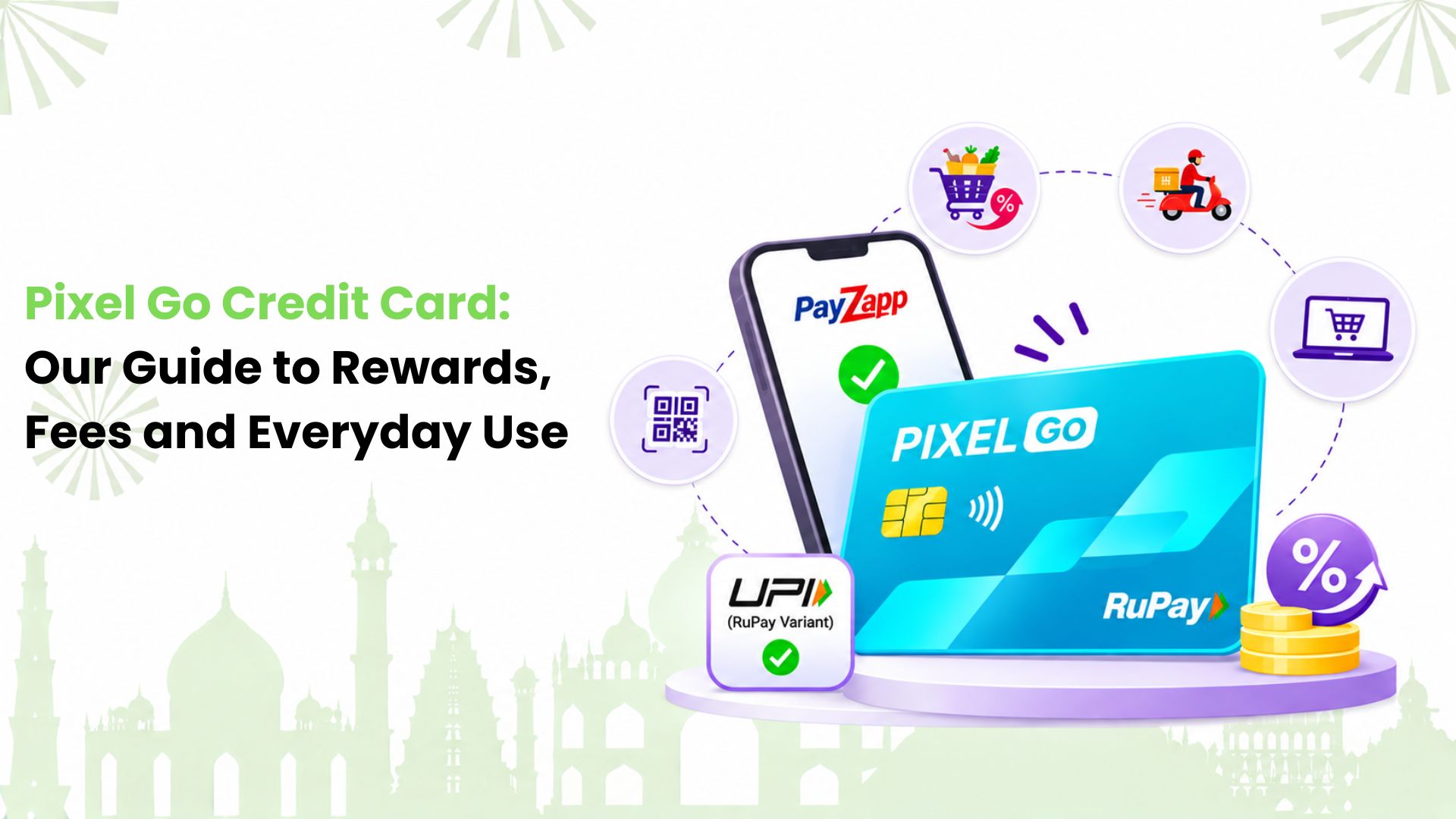
We explain the Pixel Go Credit Card for Indian first-time card users and everyday spenders who want simple, app-based payments. HDFC Bank manages this card through PayZapp, with cashback on eligible purchases and UPI support on the RuPay variant.
Our starting point is simple: a cashback rate only helps when it matches how we pay. We need to look at eligible purchases, reward limits, redemption and fees together. Below, we work through those details so we can compare the card without getting distracted by a headline offer.
What are We Getting with PIXEL Go?
We can think of PIXEL Go as HDFC Bank’s everyday cashback option within the PIXEL range. PayZapp brings the application, card controls and rewards into one app. For purchases such as groceries, food delivery or online shopping, the main question is whether the transaction qualifies for cashback.
We also need to distinguish the card network. The RuPay variant supports eligible merchant UPI payments. We should not assume that a Visa card offers the same credit-card-on-UPI function.
For us, app-led management means convenience only if we are comfortable using PayZapp regularly. Before applying, we would check whether we can easily find our statement, repayment options and support section. These everyday tasks matter long after the welcome offer has ended.
How We Read the Cashback Benefits
HDFC advertises three main reward routes:
• 1% cashback on eligible regular purchases.
• 5% cashback on eligible SmartBuy transactions, capped at 500 CashPoints per month.
• 1% cashback on eligible UPI spends with the RuPay variant, capped at 500 CashPoints per month.
We receive these rewards as PIXEL CashPoints. We should keep that distinction in mind when comparing the card with a product that offers cashback credits directly to a bank account.
We also treat each reward route separately. The SmartBuy rate applies through the eligible platform and categories. It does not turn every online purchase into a 5% cashback transaction, and the SmartBuy benefit cannot be combined with the card’s regular 1% cashback on the same purchase.
Why the Headline Rate Needs a Closer Look
We would compare rewards using our actual shopping habits. Someone who already books eligible travel through SmartBuy may find that route useful. Someone who mainly scans merchant QR codes needs to focus on the RuPay UPI rules instead.
Our comparison should also include the effort needed to use the benefit. If a reward depends on changing where we shop, we would compare the final price first. A higher reward rate does not automatically mean a lower purchase cost.
Which Purchases Need Extra Care?
The detailed terms exclude several categories from regular CashPoints, including fuel, wallet loads, rent, government payments and EMI transactions. Transactions below ₹100 do not earn CashPoints, and fractional CashPoints are rounded down.
We therefore avoid treating the advertised rate as a return on our entire monthly bill. We would separate purchases that qualify from those that do not. This gives us a more useful view than multiplying every expense by one cashback percentage.
How We Use the RuPay Variant for UPI Payments
With the RuPay variant, we can make eligible merchant payments using credit through a supported UPI app. A grocery shop or another participating merchant QR is a practical example. Our available card limit and the applicable payment limits still matter.
We should not confuse a merchant payment with sending money to a friend. Credit-card-on-UPI does not support personal transfers. Restricted uses also apply, so we cannot assume that every QR code or every payment category will work.
For a plain-English explanation of this payment method, we can explore how a UPI credit card works.
Our useful habit is to check both payment success and reward eligibility. A payment being accepted does not necessarily mean it earns cashback. Merchant categories, minimum amounts and the issuer’s terms can affect the result.
We would also keep bank-account UPI and credit-card UPI separate in our minds. The first uses money in our account; the second creates an amount we must repay on our card statement. The familiar scan-and-pay flow does not remove that repayment responsibility.
What We Need to Know About Fees
HDFC’s dedicated fee page lists a joining or renewal membership fee of ₹250 plus applicable taxes. Its product page describes a joining-fee waiver after ₹10,000 of spending within the first 90 days. It also lists a renewal-fee waiver after ₹50,000 of spending in the preceding year.
However, HDFC’s PIXEL microsite describes PIXEL Go as lifetime free. Because these public pages differ, we would check the exact fee offer shown during our application and in the card’s terms before accepting. We should not assume that one promotional offer applies to every applicant.
Our fee comparison would also account for how we normally spend. A waiver is useful when our planned, eligible spending already meets its conditions. Making extra purchases purely to avoid a fee can cost more than the fee itself.
We would save the offer details available at application. If a fee later appears on our statement, this record helps us explain the issue clearly when contacting the bank.
How We Turn CashPoints into Usable Value
We can request redemption through the rewards section in PayZapp once we have at least 500 PIXEL CashPoints. HDFC’s terms value 1 CashPoint at ₹1 in PayZapp CashPoints. Unredeemed CashPoints expire after two years.
For us, redemption is part of the comparison, rather than an afterthought. We would check whether the available PayZapp redemption options suit our needs. We should not describe these points as an automatic bank-account credit.
We would also review our rewards after refunds or cancellations. Reversed purchases can lead to reversed rewards. If our shopping includes frequent returns, the tentative reward total may differ from the final amount available to redeem.
Our practical approach is to review rewards alongside our monthly statement. This helps us spot missing eligible transactions, understand reversals and use accumulated value before it expires, without making extra purchases just to reach a threshold.
Who Can Apply, and What Should We Keep Ready?
HDFC’s product page lists Indian nationality and these eligibility details:
• Salaried applicants: age 21 to 60, with monthly income of ₹12,000 listed on the page.
• Self-employed applicants: age 21 to 65, with annual income tax returns above ₹6 lakh.
We should treat these as published entry criteria. Meeting them does not guarantee approval or a particular credit limit. The bank makes its lending decision after reviewing the application.
For documentation, we would keep our PAN and the identity, address and income documents requested in the application ready. The exact requirements depend on the application journey. We may also need to complete video KYC.
We would use our own current details and check them before submission. An old address or an incorrect mobile number can make verification and later communication harder. We should also read the consent and fee details ourselves instead of relying only on an offer summary.
How We Apply Through PayZapp
We can follow the application route described by HDFC:
1. Download or update PayZapp.
2. Open the PIXEL Credit Card application banner.
3. Enter the requested details and complete verification.
4. Review the offer, network and charges shown before accepting.
5. After approval, follow the card setup and activation instructions.
We would keep approval and activation separate. Applying does not mean the bank has issued a card, and an approved card may still need setup before we can use its features.
Once the card is active, we would get familiar with its controls. HDFC describes options in PayZapp for setting transaction limits and switching payment channels on or off. These controls help us manage how the card can be used.
How We Decide Whether it Fits Our Routine
We would start with the last few months of spending and ask three questions: where do we pay, which purchases qualify, and can we use the rewards comfortably?
For example, we could group our last month’s purchases into merchant QR payments, direct online purchases and bookings through shopping portals. This shows which payment route we use most. It also helps us avoid choosing a card around a benefit we would rarely use.
Next, we would look at repayment. Cashback adds little value if interest charges outweigh it. We would check the payment due date, plan for the full statement amount and read the conditions attached to any interest-free period.
We would make the same careful check before converting a purchase into EMIs. A smaller monthly payment is only one part of the decision. The total amount payable, processing fee, taxes and reward treatment also need our attention.
Finally, we would consider how much management the card needs. A product can have useful benefits and still feel inconvenient if its app or redemption process does not suit us. Our comparison works best when we give everyday usability the same attention as cashback.
Let Our Everyday Payments Guide the Next Step
If merchant QR payments make up much of our routine, we can also explore Kiwi’s app-led UPI on credit experience. Kiwi helps eligible users pay merchants using supported RuPay credit cards and track applicable cashback.
Our groceries, food orders and other everyday merchant purchases give us a useful starting point for comparison. We can check which transactions qualify and read the Kiwi cashback rules before estimating what we might earn.
Ready to make our usual scan-and-pay routine work harder? We can explore Kiwi and start an application. The issued card depends on our credit score and partner-bank requirements, and approval remains subject to their assessment.
FAQs
Can We View a PIXEL Go Statement Outside PayZapp?
Yes. HDFC also supports PIXEL cards on MyCards for viewing recent transactions and downloading statements. We can add the card using our registered mobile number and the requested card details. We would use the bank’s official access route.
Is an FD-backed PIXEL Option Available?
HDFC advertises an FD-backed PIXEL option through PayZapp, with a credit limit of up to 90% of the deposit value. If we explore it, we should read the deposit and lien conditions carefully. Our fixed deposit is security for the card, rather than freely available spending money.
Does PIXEL Go Have a Fuel Surcharge Waiver?
HDFC lists a 1% waiver for eligible fuel transactions between ₹400 and ₹5,000, capped at ₹250 per statement cycle. We should distinguish a surcharge waiver from fuel cashback. The terms also state that UPI fuel payments do not receive this waiver because no fuel surcharge applies to them.
Are Dining Offers a Permanent Card Benefit?
We should check the live offer before booking or paying. HDFC’s public pages show differing dining details, and the product terms include an expired offer. We would confirm the participating restaurant, payment route, validity and cap rather than budget around an old discount.
What if We Need Help with a PIXEL Transaction?
We can use the relevant help section in PayZapp and raise a support ticket if the listed answers do not resolve our query. We would keep the transaction reference, date and amount ready, and avoid sharing our PIN or OTP with anyone claiming to provide support.
Will PIXEL Go Give us the Same Benefits as PIXEL Play?
No. We need to compare the two variants separately. PIXEL Play has a different reward structure, including selected merchant packs. We should assess the benefits and charges attached to the specific card offered to us, rather than borrow features from another product in the range.
Disclaimer: This article is intended for general informational and educational purposes only and should not be considered financial or credit card advice. The Pixel Go Credit Card’s cashback rates, reward points, redemption options, fees, eligibility criteria, UPI features and promotional offers are subject to HDFC Bank’s latest terms and conditions. Fees and benefits may vary depending on the card variant and offer available at the time of application. Readers should verify the latest details through HDFC Bank’s official website or PayZapp before applying. Credit card approval and credit limits are subject to the bank’s eligibility and assessment policies. Kiwi is not affiliated with or endorsed by HDFC Bank or PayZapp and does not guarantee credit card approval, cashback benefits or financial rewards. All Kiwi services and offers are subject to applicable terms and partner bank policies.
Apply
Get a RuPay credit card that works on UPI
Kiwi links an eligible RuPay credit card to UPI, so an everyday QR payment — groceries, fuel, a shop counter — can come from your credit line instead of your bank balance.
- RuPay credit card on UPI
- Pay by scanning any UPI QR
- Cashback on eligible spends
Approval and the card issued depend on your credit score and our partner banks’ criteria. Cashback is subject to the card’s terms.
Related · Credit Card